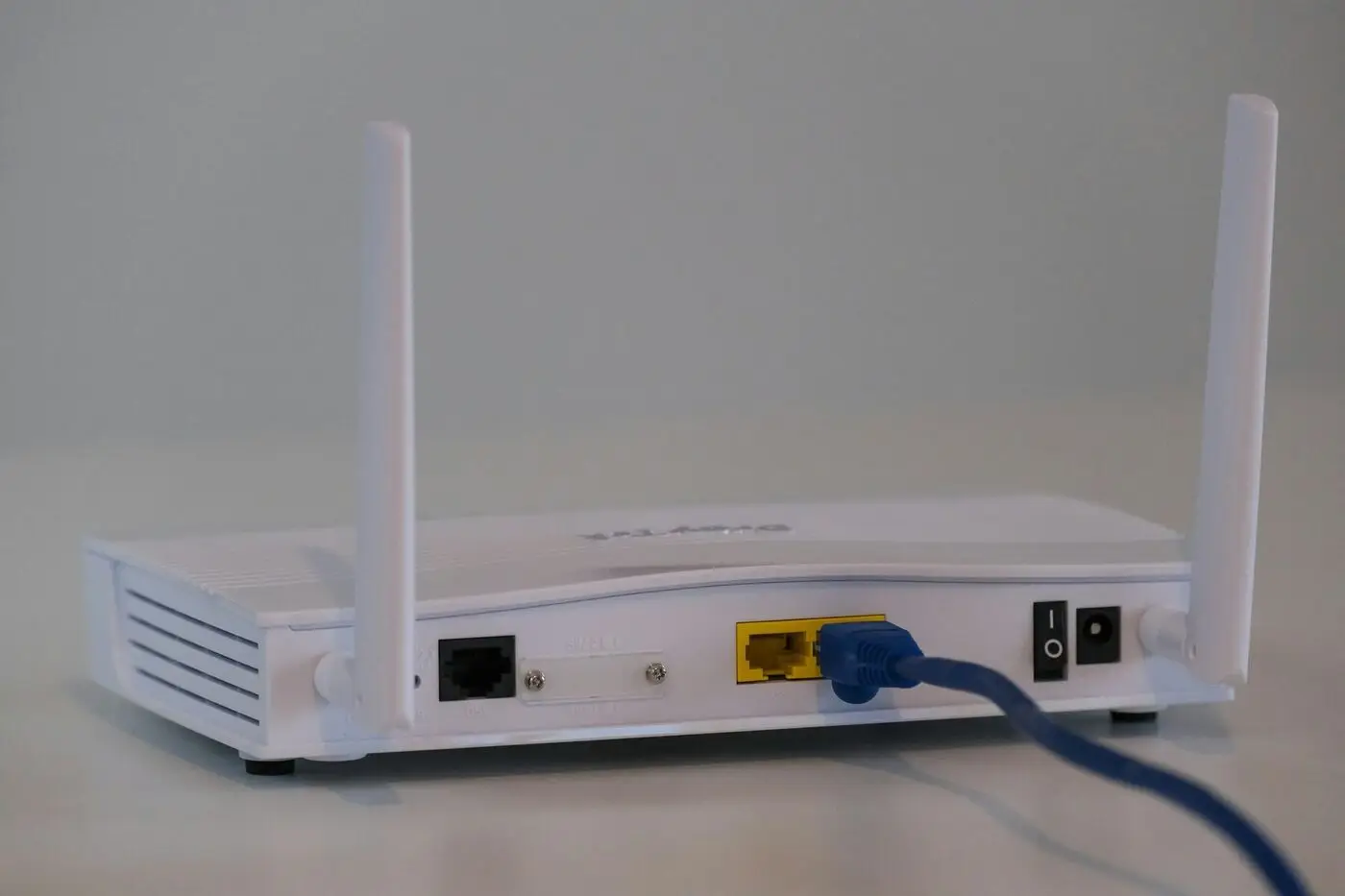
“Is that the modem or the router?” comes up on almost every job. Most homes don’t have separate devices any more — they have one box that does both. Here’s the plain-English version of what each part actually does, and when it’s worth splitting them apart.
The two boxes (or one)
What each device actually does
Connects your home to the internet. One plug goes to the NBN or wall socket. One job: get the signal in.
Creates your WiFi network and shares the connection with all your devices. Security, IP assignment, traffic.
One box doing both jobs. Most ISP-supplied kit is a 'modem-router combo' — convenient but usually middle-of-the-road.
What Does a Modem Do?
A modem (short for modulator-demodulator) translates signals from your internet service provider into something your home network can use.
For NBN connections:
- FTTP: The NBN box on your wall is essentially the modem
- FTTN/FTTC/HFC: You need a modem to connect to the NBN
- Fixed Wireless: The outdoor antenna connects to an indoor modem
The modem has one job: get the internet signal into your home. It usually has a single ethernet port that outputs to your router.
What Does a Router Do?
A router does several important jobs:
- Creates your WiFi network - The wireless signal your devices connect to
- Shares the internet - Takes one internet connection and shares it with many devices
- Assigns IP addresses - Gives each device a unique address via DHCP
- Provides security - Acts as a firewall between your devices and the internet
- Manages traffic - Directs data to the right devices
The router is what you interact with most - it’s where your WiFi name and password are set.
The combined device: gateway / modem-router
Most Australian households have a single device that combines both functions. Your ISP probably handed you one when you signed up — usually labelled “gateway” or “home hub”. Common examples: Telstra Smart Modem, TPG-supplied units, Aussie Broadband’s device, iiNet Hub.
The trade-off of one box doing both jobs
Simpler setup, takes up less space, usually free with the plan, one device to manage.
Often middle-of-the-road quality, both halves fail together, less flexibility, ISP firmware on a slow update cadence.
Fine for small flats. The single most cost-effective WiFi upgrade for a family home is replacing the ISP gateway with a better router.
The cheapest WiFi upgrade most people can make: bridge-mode the ISP gateway and put a proper router behind it.
When to consider separate devices
For most flats and small homes, the ISP-provided modem-router is fine. Consider separate devices if:
- You want a higher-quality router for stronger WiFi
- You’re hitting performance issues with the provided gear
- You want advanced features (QoS, VPN, parental controls)
- You have a large or multi-storey home, or many devices
With NBN FTTP, you can often skip the modem entirely and connect a router directly to the NBN box.
If you’re adding your own better router behind the ISP gateway, set the ISP unit to “bridge mode” first. That turns it into a dumb modem and lets your new router do the routing and WiFi work. Skipping this step gives you “double NAT” — two routers fighting — which breaks gaming consoles, remote-access apps, and Cal.com link previews.
What About Mesh Systems?
Mesh WiFi systems (like the Google Nest mesh or TP-Link Deco) are essentially multiple routers that work together. They usually:
- Replace your ISP router
- Still need your modem or NBN connection
- Create one seamless network across your home
Some mesh systems include a built-in modem, but most don’t - check before buying.
If your home does turn out to need more than one unit, the design matters far more than the brand. Here is how we plan and install mesh WiFi so the nodes land in the right rooms.
Quick identification guide
What's on the back of the box tells you what kind of device you've got.
| If it has… | It’s probably a… |
|---|---|
| Coaxial port (cable connection) | Modem or modem-router |
| Phone-line port + ethernet | ADSL / VDSL modem-router |
| Just ethernet ports + WiFi | Router only |
| NBN label, wall-mounted, no antennas | NBN Connection Box (the modem) |
| Multiple matching small units | Mesh WiFi system (router only) |
Related reading
- Mesh WiFi explained — when one router isn’t enough
- Why is my WiFi so slow? — old routers are one of the seven causes
- Diagnose your internet — pick the right modem/router for your tech
Official resources
- NBN Equipment Guide — Understand NBN connection equipment
- NBN Address Checker — Find out what equipment you need for your connection type
Common questions
Do I need a separate modem AND router on NBN?+
It depends on the NBN technology. On FTTP, the wall-mounted NBN Connection Box is your modem — you only need a router. On FTTN/FTTC, you usually need a VDSL modem plus a router (or a single combined modem-router). On HFC, the NBN Connection Box does the modem job and you connect a router to it.
Can I just use my ISP's free modem-router?+
It'll work, and for small flats and one-bedroom places it's fine. For larger family homes, the ISP-supplied unit is often the bottleneck — they're built to a price. A modern $200–300 router or a small mesh kit usually makes a noticeable difference.
What's the difference between a router and a mesh system?+
A standard router is one device covering the whole home. A mesh system is multiple smaller units that work together as one network — better for big or multi-storey homes. Mesh replaces your existing router; it doesn't replace your modem.
How do I know if my router is the bottleneck?+
Plug a laptop directly into the router with an ethernet cable. If wired speeds are good but WiFi is slow, the router's WiFi side is your weak point. If wired is also slow, look upstream — modem, NBN line, or ISP.
Should I put my ISP modem-router into 'bridge mode'?+
Yes, if you're adding your own better router. Bridge mode turns the ISP unit into a dumb modem, leaving all the routing and WiFi work to your new device. Avoids 'double NAT' — two routers fighting over your network — which can break things like online gaming and remote-access apps.