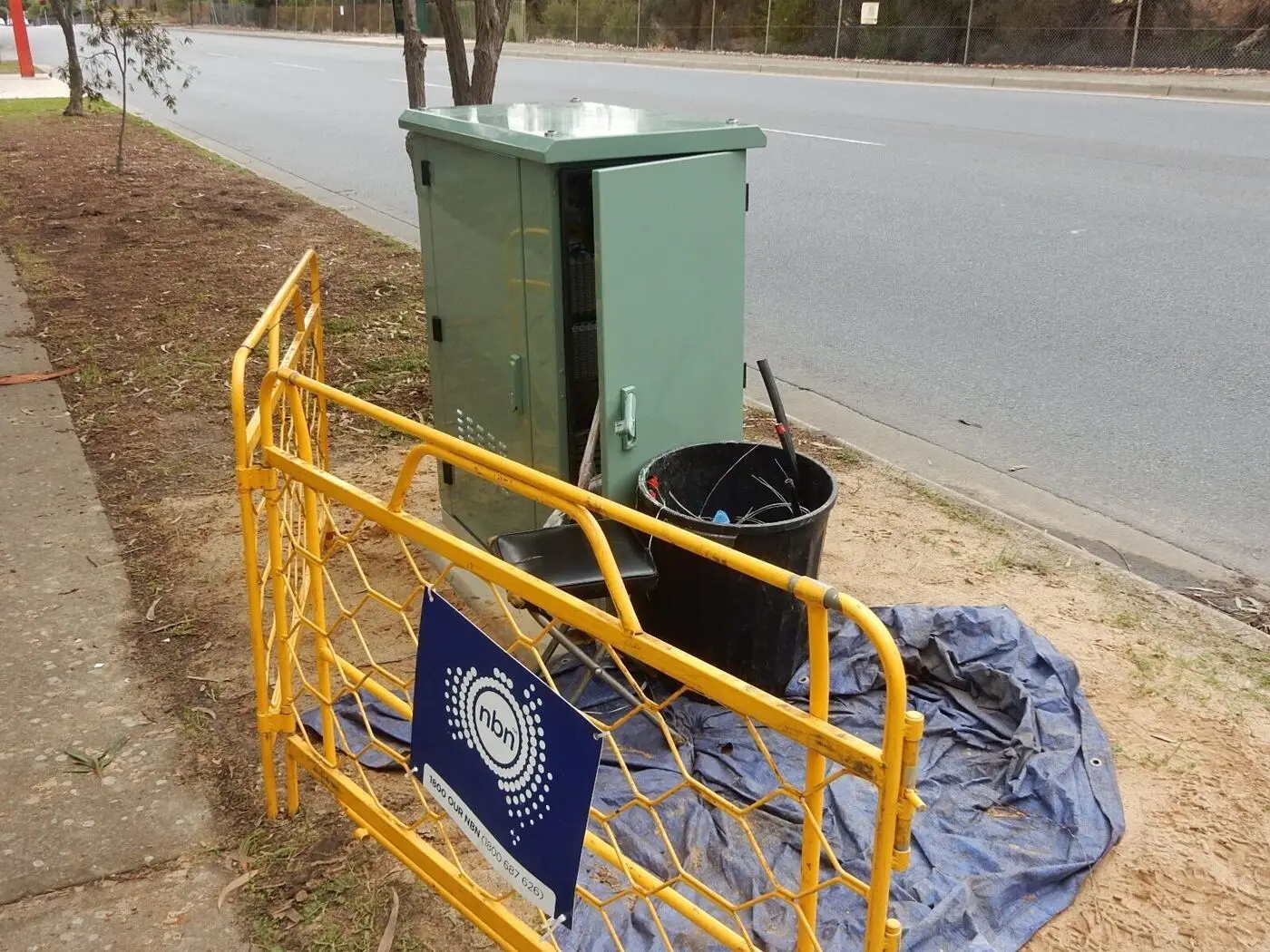
FTTN — Fibre to the Node — is the NBN technology behind a lot of the slow-internet complaints I hear in established Geelong suburbs like Belmont, Highton and Newtown. The fibre stops at a green street cabinet; old copper phone line carries the signal the rest of the way.
How FTTN actually works
What FTTN is doing under the hood
Fibre runs from the exchange to a green street cabinet (the node) somewhere in your neighbourhood.
From the node, your old copper phone line carries the signal the rest of the way to your house.
A VDSL2 modem-router at your end decodes the high-speed signal off the copper.
Your speed is decided almost entirely by how long that copper run is — and how good a condition it's in.
The copper phone line was never designed for high-speed data. VDSL2 technology pushes it as far as it can go, but there are hard physical limits.
The distance problem
An address 150m from the node can sync at 100 Mbps. An address 850m from the same node will struggle to break 25. Same suburb, same provider, same plan — different physics.
With FTTN, distance from the node directly affects your maximum speed. Approximate band:
| Distance from node | Typical sync speed |
|---|---|
| Under 200 m | 90–100 Mbps |
| 200–400 m | 60–80 Mbps |
| 400–600 m | 40–60 Mbps |
| 600–800 m | 25–40 Mbps |
| Over 800 m | 25 Mbps or less |
These are guides — actual speeds depend on the specific copper’s age, joint quality, and any moisture in the street pits.
What you can control (and what you can’t)
You can’t change the copper. You can change everything else — and you’d be surprised how much it matters.
What you can fix vs what you can't
Distance to the node. The street copper. The underlying technology. None of these are within your reach.
The internal wiring (use the first phone socket — it's electrically closest to the line). Modem quality. WiFi setup. Phone-extension cabling that's quietly degrading the line.
The equipment FTTN actually needs
With FTTN, you need:
- A VDSL2 modem-router — plugs into your wall phone socket
- A phone-line filter — if you still use a landline phone
- A central filter — sometimes installed at the connection point in older homes
The modem syncs with the node and establishes your line speed. This “sync speed” is your physical maximum — you can’t exceed it regardless of which plan you’re on.
Checking your sync speed
Log into your modem (the address is usually 192.168.0.1 or 192.168.1.1 — printed on a sticker on the unit). Look for “DSL Status” or “Line Stats”. The two numbers that matter are “Downstream Sync Rate” and “Upstream Sync Rate”. That’s the absolute ceiling of your connection. If your sync says 50 Mbps, an NBN 100 plan won’t help — your line physically can’t go faster.
What to expect from FTTN day-to-day
- Speeds vary by address. Two neighbours on identical plans can see very different real-world numbers.
- Weather affects performance. Heavy or persistent rain seeps into ageing copper joints. If your speeds always dip after a wet week, that’s the most likely cause.
- Peak-hour slowdowns can also be your provider overselling capacity at the local POI — separate from the FTTN problem.
- Line faults creep in as copper continues to age. NBN’s been keeping it going for decades; that’s not a forever solution.
What you can actually do about slow FTTN
If your FTTN is genuinely too slow, these are the choices
Fibre Connect — NBN's free FTTP upgrade for many addresses. Sign up to a 100/40 or higher tier with a participating ISP, NBN runs new fibre to the house. Worth checking your address first.
More streets are getting upgraded. Punch your address into the NBN address checker every six months.
Telstra, Optus and others now sell 5G Home Internet. Can be a real upgrade in suburbs with strong 5G coverage. Comes with its own quirks (data caps, congestion) so check coverage at your specific address first.
Only half joking. Some Geelong buyers genuinely factor NBN tech into their property short-list now.
Check the NBN address checker for what’s available at your specific address.
Is the slowness actually FTTN — or your WiFi?
The biggest mistake we see in FTTN homes: blaming the copper for what’s actually a WiFi problem inside the walls.
Before blaming FTTN, do this:
- Plug a laptop directly into the back of the modem with an ethernet cable
- Run a speed test
- Compare the result to your sync speed
If the wired test matches your sync speed but your phone or laptop on WiFi is slower, the problem is your WiFi setup, not the FTTN line. That’s actually good news — WiFi problems are fixable on the day. FTTN problems require NBN’s help.
That question is worth settling properly, because the two have completely different fixes. We test the connection and the WiFi separately as part of every $199 assessment, so you know which one to chase.
Related reading
- FTTP explained — what you’d be upgrading to
- Does your NBN provider actually matter? — even on FTTN, the ISP makes a difference
- Why is my WiFi so slow? — rule out the WiFi side first
Official resources
- NBN Address Checker — Check what NBN technology and speeds are available at your address
- NBN FTTN Information — Official NBN FTTN explainer
- Fibre Connect Upgrade Program — Check if you can upgrade from FTTN to FTTP
- ACCC Broadband Performance — Independent speed monitoring data
Common questions
How do I tell if I have FTTN at my address?+
Punch your address into nbnco.com.au's address checker — it tells you the technology type. If you have a small grey or white VDSL modem and the cable into your house is the same copper phone line you used to use for landlines, that's FTTN.
Why are my FTTN speeds slower than my neighbour's?+
FTTN performance depends heavily on the length and condition of your specific copper line back to the street node. Two houses next door can have very different copper lengths, joints, and corrosion — and therefore very different speeds.
Will paying for NBN 100 fix my FTTN slowness?+
Only if your line's sync speed is higher than your current plan's tier. If your modem says it's syncing at 65 Mbps, NBN 100 will still cap at 65 Mbps. Check the sync speed in your modem's status page before you upgrade.
Can I upgrade from FTTN to FTTP?+
Often, yes. NBN's Fibre Connect program lets eligible FTTN addresses upgrade to FTTP for free if you commit to a higher-tier plan with a participating ISP for a minimum period. It's worth checking your address — many Geelong streets are now eligible.
Will weather affect my FTTN connection?+
Yes, especially heavy rain or persistent damp weather. Moisture seeps into ageing copper joints in the street pits and degrades signal quality. If your speeds always drop after a wet week, that's the most likely cause.