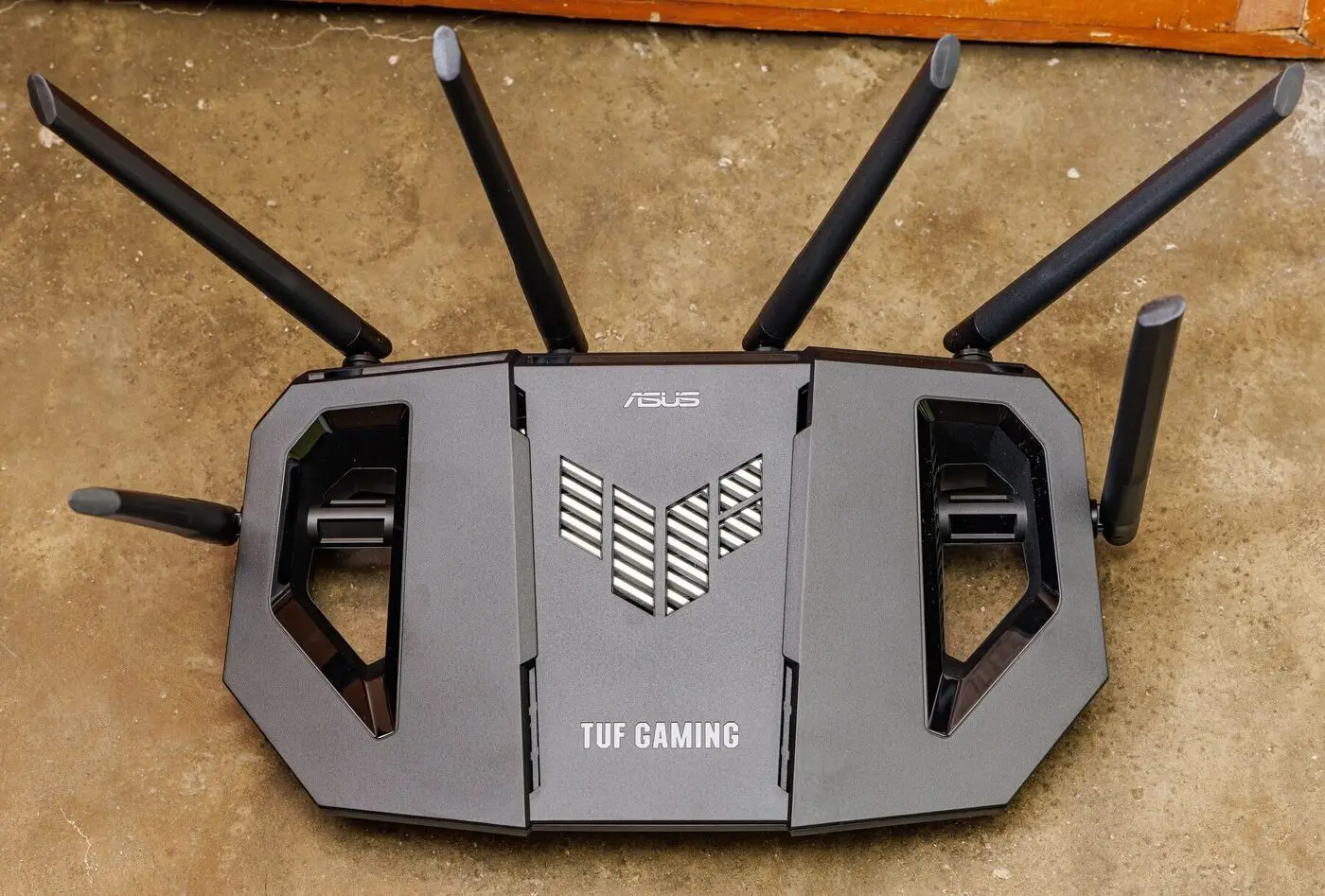
“Should I be on 2.4GHz or 5GHz?” comes up in nearly every Geelong home I assess. Short answer: both. Your router broadcasts both, and the right one depends on the device and where it is in the house.
The two bands at a glance
2.4GHz vs 5GHz — the practical comparison
Long range, slower (50–150 Mbps), crowded — best for outdoor cams, smart-home gear, devices far from the router.
Short range, much faster (up to 500+ Mbps), cleaner — best for streaming, video calls, gaming, devices near the router.
Even faster and cleaner than 5GHz, but range is even shorter — only useful with brand-new gear at both ends.
Why the difference
Your router broadcasts on two different radio frequencies simultaneously — that’s what “dual-band” means. Higher frequencies carry more data per second but get absorbed by walls more readily. Lower frequencies are slower but travel further. It’s a physics trade-off, not a router quality issue.
A 5GHz signal typically loses about three times as much strength per metre as a 2.4GHz signal. Walls make the gap even bigger.
2.4GHz — the long-range workhorse
Best for: outdoor cameras, smart-home sensors, doorbells, garage-door openers, devices in the back rooms.
The 2.4GHz frequency has been used for WiFi since the beginning. It travels further and penetrates walls better — but only three non-overlapping channels exist, so it gets crowded fast in suburban Geelong where every house has a router and a microwave and a cordless phone all sharing the same airspace.
Where it shines:
- Better range and wall penetration through brick and concrete
- Works with every WiFi device ever made, including ten-year-old smart plugs
- Reliable for outdoor cameras 20–30 metres from the house
- Smart-home gear (Hue, Tuya, Arlo, Ring) almost universally lives on 2.4GHz
Where it struggles:
- Slower in real-world use (50–150 Mbps even in good conditions)
- Heavy congestion from neighbouring networks, microwaves, baby monitors, Bluetooth
- Newer high-bandwidth uses (4K streaming, work calls) push it over its limit
5GHz — the fast lane
Best for: streaming, video calls, gaming, file transfers, anything bandwidth-hungry within line-of-sight of the router.
5GHz has 23 non-overlapping channels — almost an order of magnitude more than 2.4GHz — and far fewer competing devices. The trade-off is range.
Where it shines:
- Real-world speeds of 300–500+ Mbps with modern gear
- Far less congestion from neighbours and household interference
- Capable of saturating any retail NBN plan
Where it struggles:
- Signal drops off sharply with distance — often unusable two rooms away
- Brick, concrete, tile, and foil-backed sarking are particularly hostile
- Some older devices simply don’t support it
Which should you use?
Which band suits which device
Streaming Netflix in the lounge near the router
Work-from-home video calls
Gaming console (5GHz is the next-best if you can't run cable)
Outdoor security cameras
Smart lights, smart plugs, doorbell
Phones and laptops — let the router decide
The modern solution: let the router pick
You’re not really choosing between 2.4 and 5 — you’re choosing whether to let your router make smart decisions on your behalf, or whether to manage it yourself.
Most modern routers offer band steering — they push devices to the best frequency based on signal strength and what the device is actually doing. If your network has a single name (SSID) for both bands, your router is probably already doing this. That’s the right setup for almost every household.
The exception: stubborn smart-home gear that gets confused by band steering. The fix is to create a separate 2.4GHz-only network (a second SSID — second WiFi name) specifically for those devices, leave them on it, and let the rest of the household run on the steered network.
When neither band fixes it
If 5GHz doesn’t reach the back rooms AND 2.4GHz feels slow even where the signal is strong, you don’t have a band problem — you have a coverage problem. No amount of band-switching fixes a fundamental signal-strength gap. The right answer is usually a mesh system or a wired access point, not a different frequency.
The signs you’ve outgrown a single router:
- Speeds are fine in one room and unusable two rooms away
- Devices keep falling off the network even when they show full bars
- Smart-home gear that worked fine “before the renovation” no longer connects reliably
- Outdoor cameras drop out the moment a door closes between them and the router
When neither band reaches a room, you are not choosing between frequencies any more, you have a coverage problem. That is what a dead spot is and how we fix it.
A proper WiFi assessment measures the real-world signal in every room with the diagnostic kit (not a phone app), maps where the gaps are, and gives you the actual answer for your house. Sometimes that’s a band-steering tweak; more often it’s a mesh setup with the units wired back to the router so the second-floor or back-deck dead zone simply stops existing.
Related reading
- Why your router’s ‘best’ setting might be your worst enemy — channel width matters more than people realise
- Mesh WiFi explained — when no band is enough on its own
- Why is my WiFi so slow? — band choice is one of seven common causes
Official resources
- Wi-Fi Alliance — Official WiFi standards and frequency information
- ACMA Spectrum Management — Australian regulator guidance on WiFi frequencies and devices
Common questions
Should I just turn off 2.4GHz to force devices onto 5GHz?+
Usually no. Smart home devices, doorbells, garage door openers, and many older devices only support 2.4GHz — turning it off bricks them. Better to let the router run both and let the device pick.
Why is 5GHz so much weaker through walls?+
Higher frequencies have shorter wavelengths and are more easily absorbed by physical materials. 5GHz signal drops off particularly fast through brick, concrete, and tile — all common in Australian homes. It's physics, not your router.
Should the 2.4GHz and 5GHz networks have the same name (SSID — the network name your phone sees)?+
On most modern routers, yes — a single network name lets the router 'band steer' your devices to the best frequency automatically. Splitting them into separate networks can be useful for stubborn smart-home devices that get confused, but for everyday phones and laptops a single name is cleaner.
What is band steering and is it worth turning on?+
Band steering is a router feature that nudges devices toward whichever frequency suits them best given current signal strength. On most decent routers it's on by default and works well. If you're seeing devices stuck on 2.4GHz when 5GHz is plenty strong, you can give them a hand by 'forgetting' the network and reconnecting.
Where does WiFi 6E and the 6GHz band fit in?+
6GHz is even cleaner than 5GHz — almost no congestion right now — but the range is even shorter and you need both a WiFi 6E router AND WiFi 6E devices. For most Geelong households, getting your 5GHz set up properly is the bigger win today.